
Prompts for girls and boys
Identity-preserving portraits with clear styling, lighting, pose, and camera direction.
Updated September 2026 · Prompt library
Find ready-to-copy Prompt Seen photo editing prompts for portraits, couples, traditional fashion, 80s looks, and cinematic social edits. Adapt the details for ChatGPT, Gemini, or Banana Nano and create your own version.
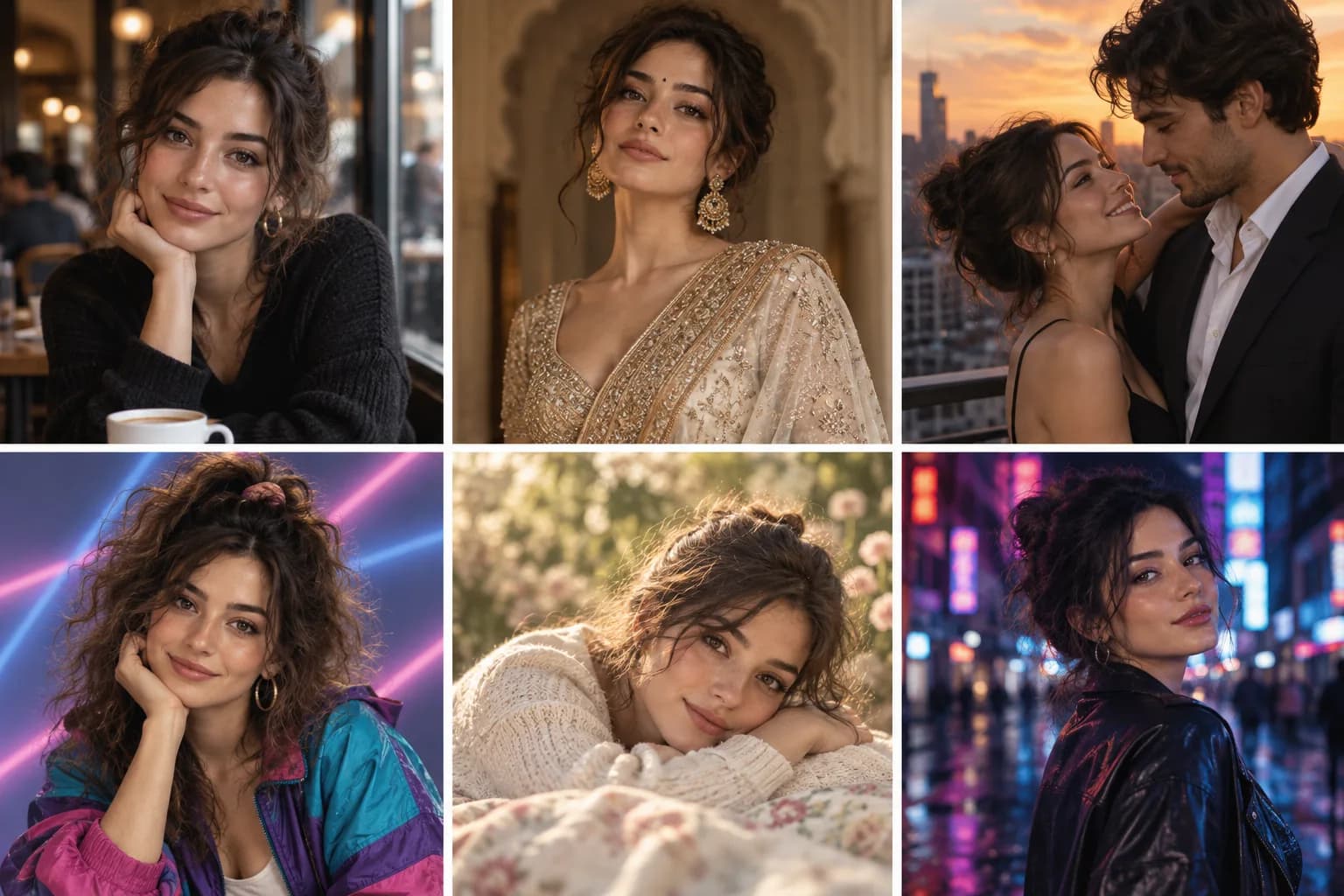
“Prompt Seen” is a search term people use to find the written instructions behind viral AI photos. It is not one filter or one model. It is a growing library format: see an example, copy its prompt, upload a photo, and recreate or personalize the scene.
The phrase is especially associated with searches for ChatGPT and Gemini photo editing, girl and boy portraits, couple scenes, saree looks, and social-ready profile images. Banana Nano connects that discovery step to an editor, so each prompt can become a starting point rather than a static list.
Identity-preserving portraits with clear styling, lighting, pose, and camera direction.
Two-person scenes that keep both faces consistent and describe natural interaction.
Respectful fashion portraits with fabric, jewelry, setting, and lighting details.
Café portraits, neon streets, rooftop photos, cinematic close-ups, and seasonal formats.
Portable natural-language instructions that can be adapted across supported image tools.
Upload-first templates that tell the model exactly what identity details must stay unchanged.
Replace the setting, wardrobe, color palette, or mood to make each template your own. For identity-sensitive edits, upload a clear reference photo first.
Images illustrate the intended styles. Your results will vary with your reference photo and chosen model.
An adult fashion portrait with soft daylight and natural skin detail.
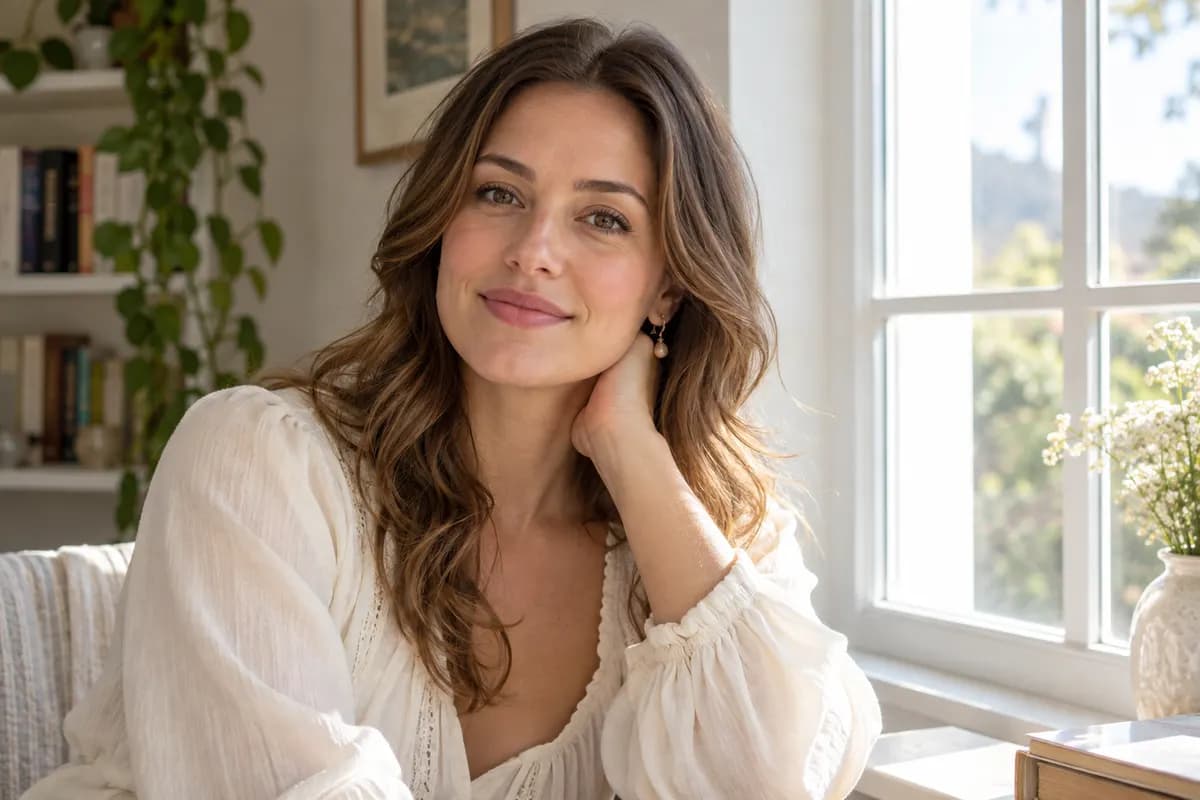
Use the uploaded photo of an adult woman to create a natural editorial portrait. Preserve her recognizable face, skin tone and identity. Style her in a cream blouse with delicate earrings beside a sunlit window, relaxed posture, soft shadows, realistic skin texture and shallow depth of field. Keep the full face and hair visible. Portrait orientation, tasteful everyday fashion, no text or watermark.
A casual denim street portrait for an adult profile photo.
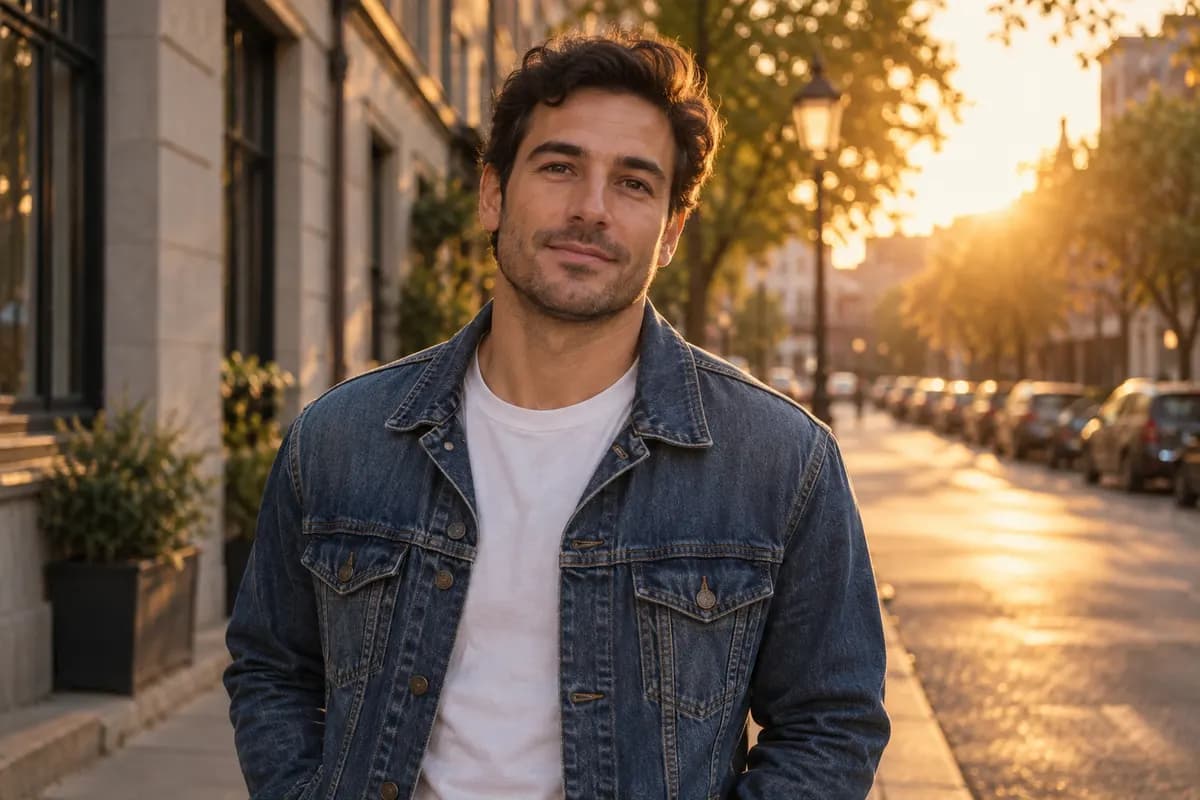
Use the uploaded photo of an adult man to create a cinematic street portrait. Preserve his recognizable face, skin tone and identity. Dress him in a denim jacket over a plain shirt on a quiet city street at golden hour. Use warm rim light, natural expression, realistic fabric and subtle film grain. Keep the full face and hair visible. Portrait orientation, no text, logos or watermark.
A natural editorial portrait designed for profile pictures and social posts.
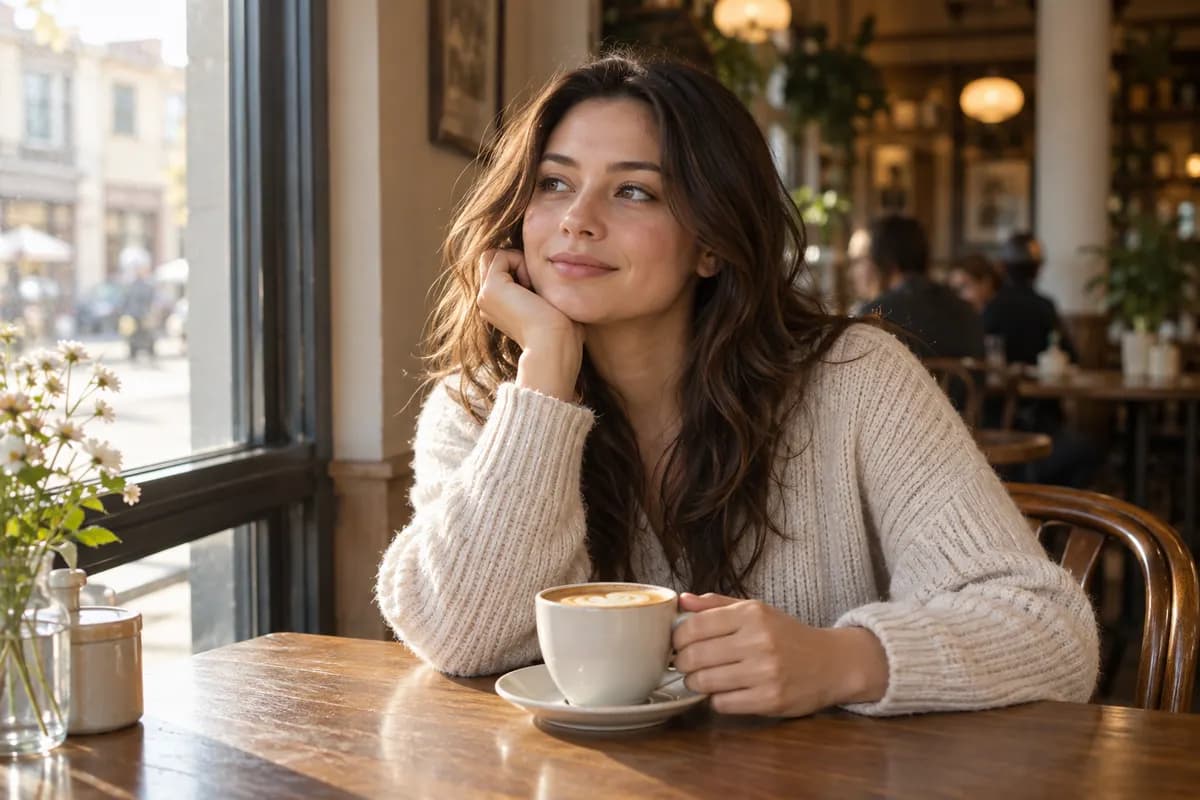
Transform the adult in the reference photo into a cinematic café portrait. Preserve the person's recognizable face, identity, hairstyle, and skin tone. Seat the subject beside a large window in a warm, elegant café, with soft morning light, realistic skin texture, shallow depth of field, subtle film grain, a relaxed expression, and a candid editorial composition. Adult subject, photorealistic, SFW, no text, no logo, no watermark, and no distorted hands.
A polished traditional-fashion transformation with identity preservation.
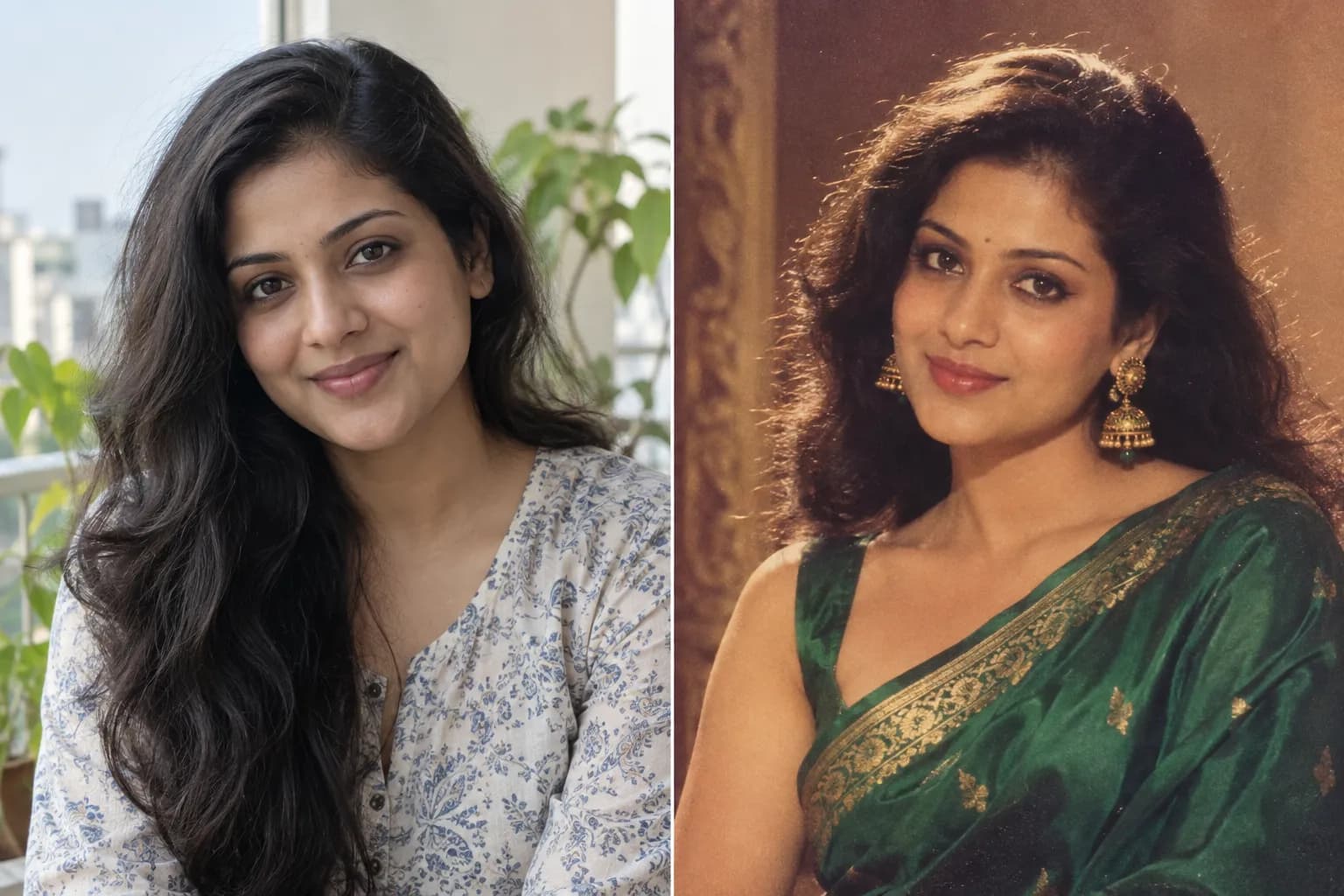
Transform the adult woman in the reference photo into an elegant traditional saree portrait while preserving her recognizable face, skin tone, hairstyle, and identity. Dress her in a refined jewel-tone saree with tasteful embroidery and subtle gold jewelry. Place her in a softly lit heritage interior with warm window light, natural posture, realistic fabric detail, dignified styling, and cinematic portrait photography. Adult subject, SFW, no celebrity likeness, no text, no watermark, and no distorted jewelry or hands.
A romantic but natural rooftop image using two adult reference photos.
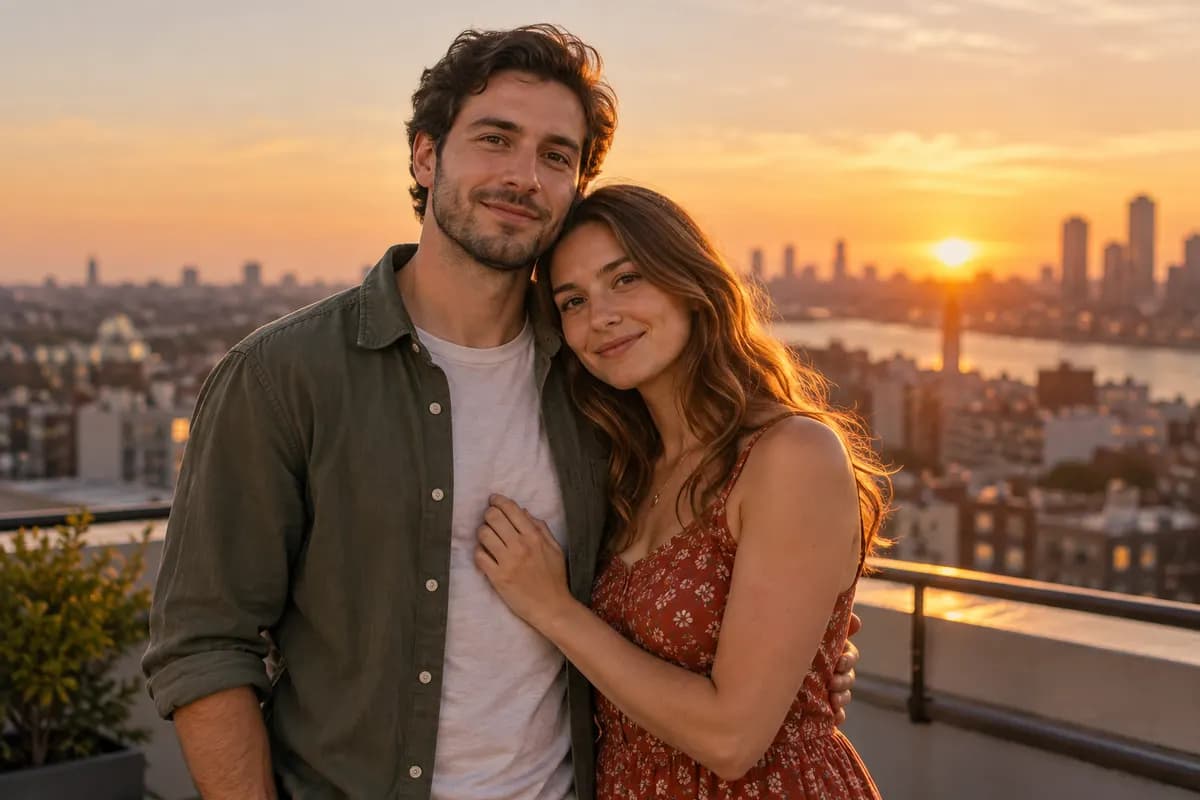
Use the two reference photos to create a warm golden-hour rooftop portrait of the same two adults. Preserve both identities, facial features, skin tones, hairstyles, and natural proportions. Show the couple standing close together with relaxed expressions, a softly blurred city skyline, warm sunset rim light, realistic shadows, subtle film grain, and premium lifestyle photography. Keep the interaction affectionate and understated. Adults only, SFW, no text, no logos, no watermark, and no duplicated limbs.
A high-contrast night portrait suited to avatars and vertical social posts.
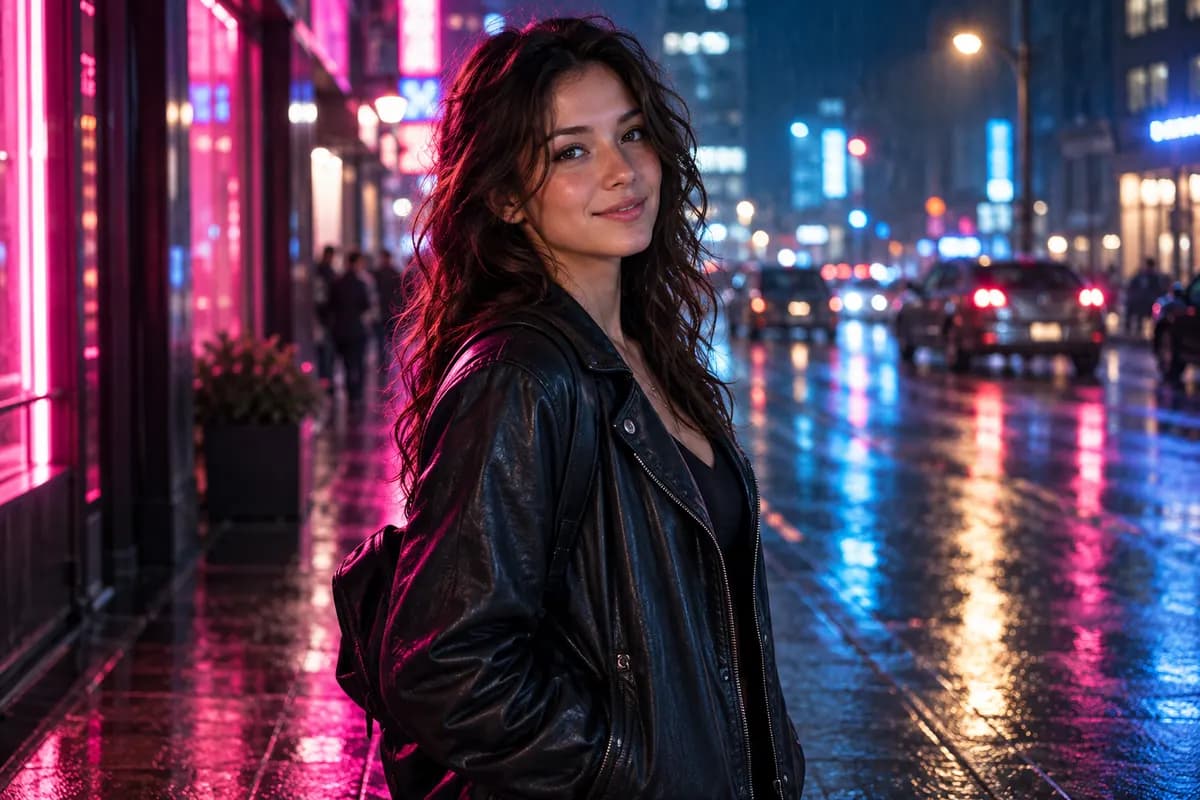
Transform the adult in the reference image into a cinematic neon-city portrait while preserving their recognizable face, hairstyle, skin tone, and identity. Place the subject on a rain-slicked street at night with magenta and blue reflections, soft background signs without readable text, realistic wet surfaces, dramatic rim lighting, shallow depth of field, and a confident natural expression. Photorealistic, adult subject, SFW, no logo, no watermark, and no facial distortion.
A shareable identity-consistent scene that brings two ages together.
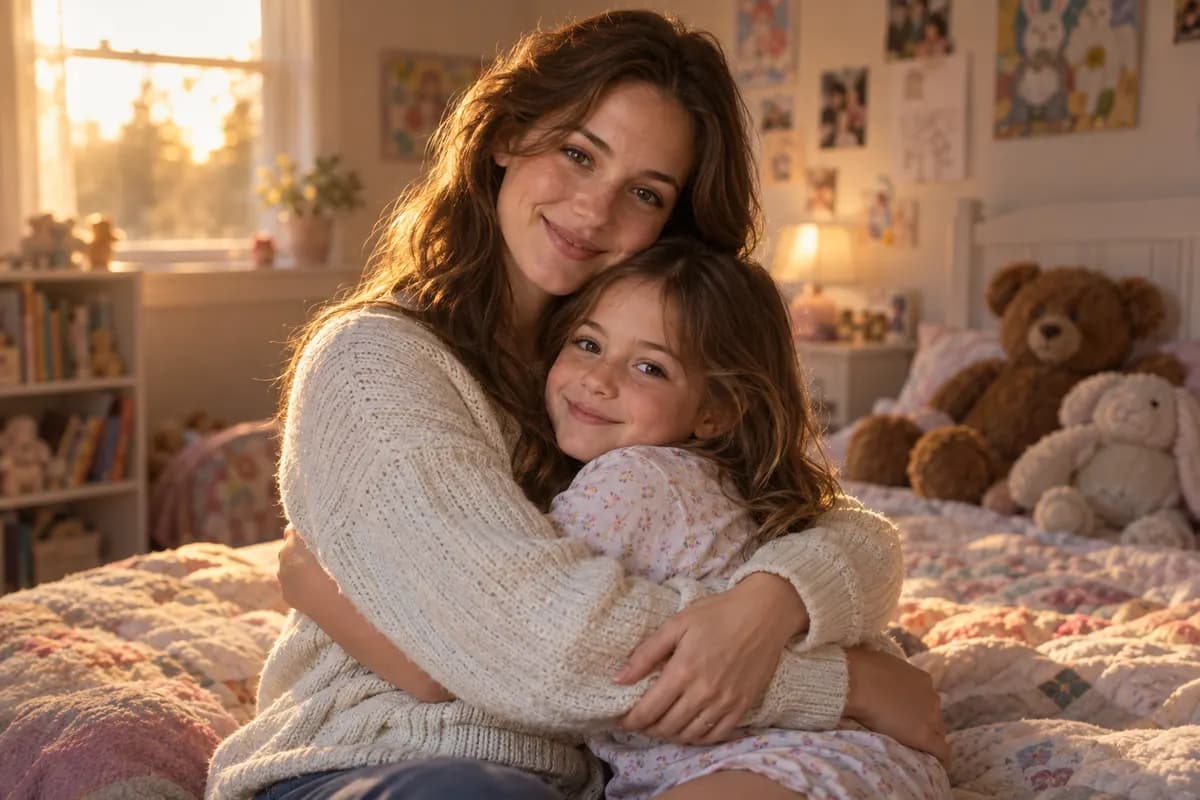
Use Reference Image 1 for the adult and Reference Image 2 for the same person as a child. Create a heartfelt photorealistic scene of the adult gently hugging their younger self in a softly lit childhood bedroom. Preserve the recognizable facial features, hair, skin tone, and identity shown in both references. Use warm golden-hour light, authentic expressions, natural body proportions, realistic hands, shallow depth of field, and understated cinematic color grading. SFW, no text, no watermark, and no duplicated limbs.
Try the rising Prompt Seen 80s format with authentic period details.
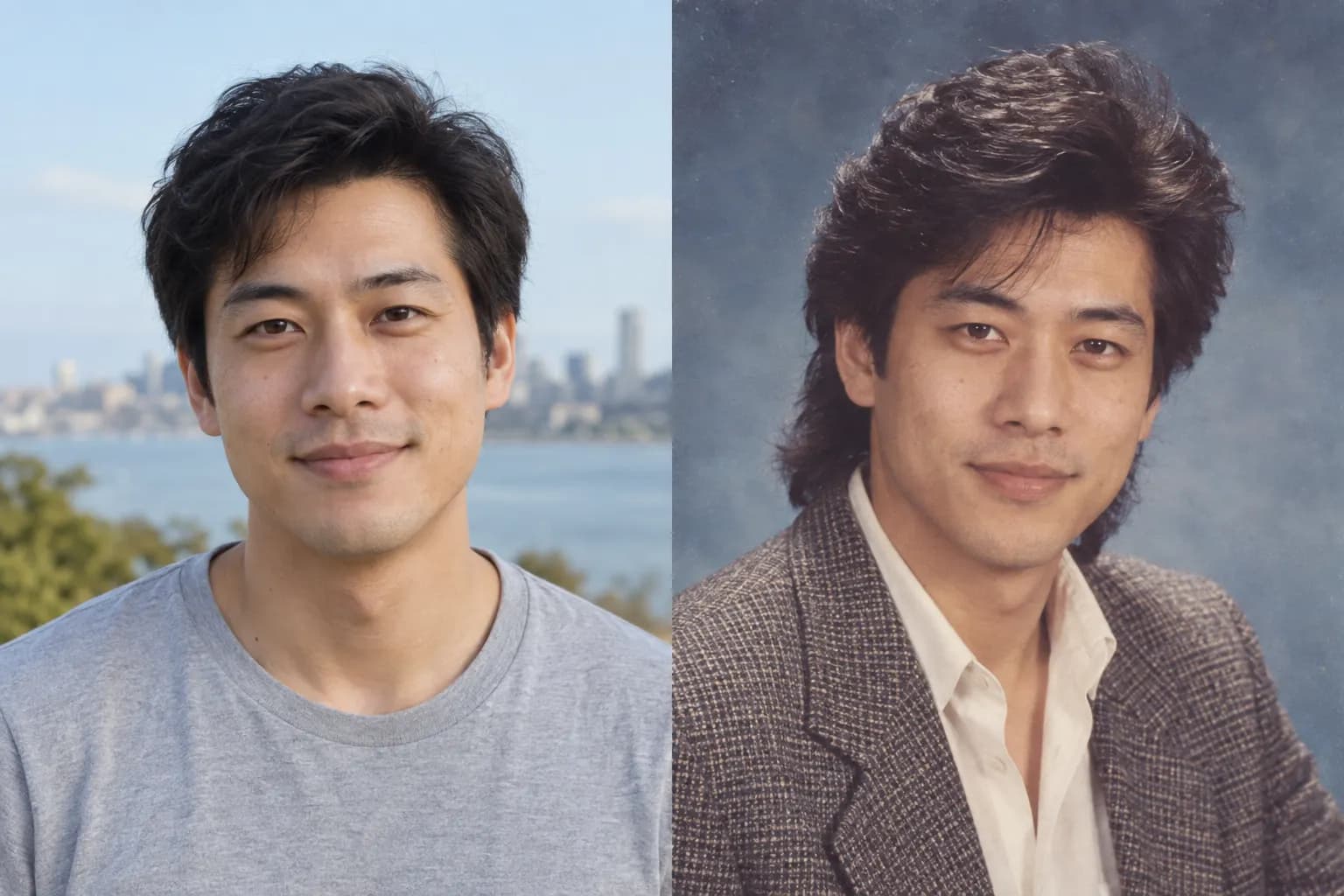
Transform the person in the reference photo into an authentic 1980s studio portrait while preserving their recognizable face, identity, skin tone, and natural facial proportions. Add period-appropriate hair, clothing, and subtle accessories, with a painted studio backdrop, warm tungsten flash, slightly faded colors, fine analog film grain, gentle lens softness, and printed-photo texture. Adult subject, photorealistic, SFW, no modern objects, no text, no logo, and no watermark.
Start with the result you actually want: a profile portrait, couple photo, fashion transformation, or nostalgic scene.
Use one clear portrait for a solo edit or two separate portraits for a couple scene.
Open the template in the editor, then change the outfit, setting, lighting, or composition before generating.
Prompt Seen is a popular search term for ready-to-copy AI photo prompts used to recreate trending portraits, couple photos, fashion looks, and social-media edits. It describes a prompt library rather than one specific visual effect.
No. A Prompt Seen template is the written instruction. You paste it into an AI image generator or editor, optionally upload a reference photo, and the model creates the image.
Yes. Upload a clear, well-lit photo that you own or have permission to edit. Prompts that explicitly preserve the face, identity, hair, and skin tone usually produce more consistent results.
Common searches include girl and boy portraits, couple photos, saree and traditional-fashion looks, cinematic profiles, nostalgic photos, and prompts for pictures of yourself.
The prompt structure is portable, but results and available editing features vary by product and model. Banana Nano lets you try the templates with supported image models in one editor.
Start with the featured prompt, then upload your photo and generate your image.
Related guide
Go deeper on the rising Prompt Seen 80s style with period-specific prompts for studio portraits, Bollywood looks, couples, and family-album photos.
Explore the guide →