More faithful instructions
Google reports improved prompt adherence. Try a brief that separates subject, composition and lighting.
THE NEXT CREATIVE CHAPTER
A clearer brief. A more intentional image. Create images and edit photos online with Google's Nano Banana 2.1, using prompts you can make your own.
Nano Banana 2.1, ready in the editor. Check your selected model, output settings and displayed credit cost before generating.
Independent platform. Not affiliated with Google. Reviewed October 13, 2026 (PDT).
 LIGHT. MOOD. IDENTITY.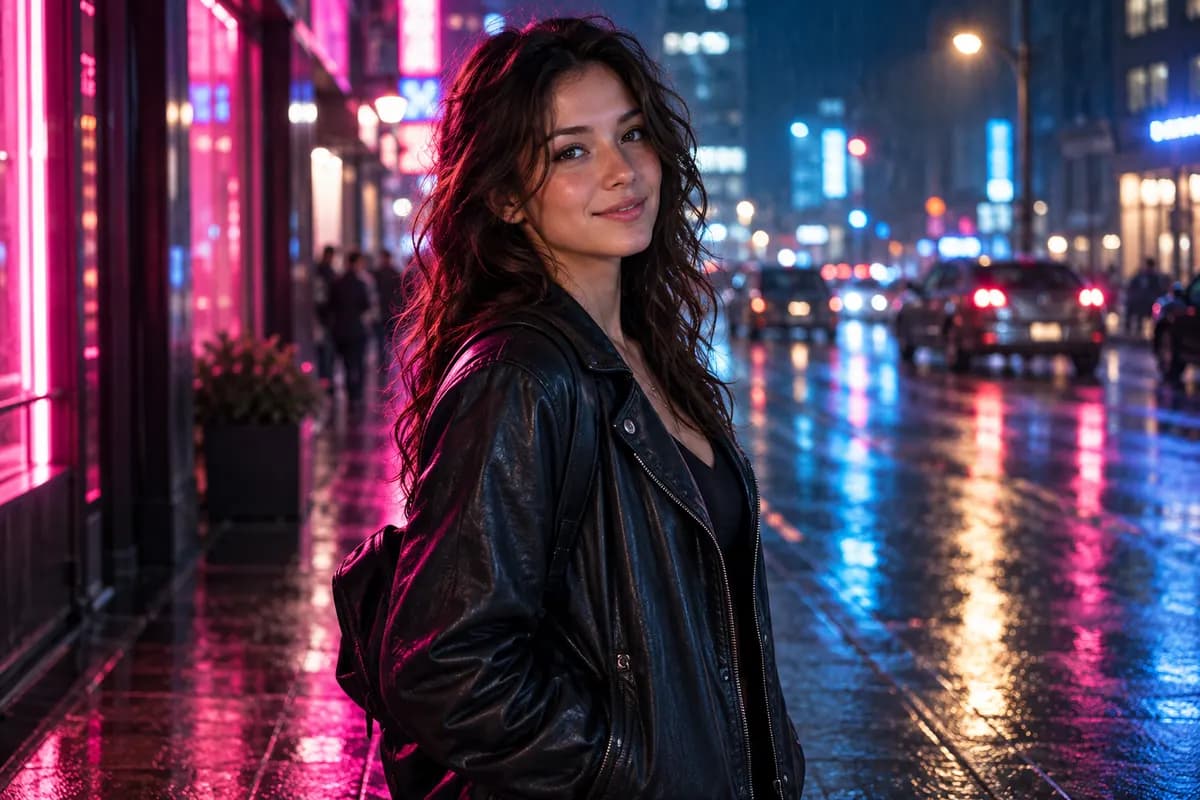
THE MODEL, EXPLAINED
It is Google's update to Nano Banana 2, also known as Gemini 3.1 Flash Image. Here is how the reported improvements translate into useful creative tasks.
Google reports improved prompt adherence. Try a brief that separates subject, composition and lighting.
The update targets text rendering. Put your exact headline in quotation marks, then describe its placement.
Google highlights multi-turn character consistency. Say which facial features, clothing and objects should stay unchanged.
The release also targets visual quality. Check fine textures, faces and small details in your own output.
Model claims: Google's official model documentation ↗. These are release notes, not Banana Nano benchmark results.
LESS GUESSWORK. BETTER BRIEFS.
Start with a real task: a poster, a portrait, a product edit or a consistent character. These are draft templates, not prompts tested on 2.1 within Banana Nano.
Separate the words you want to see from the visual direction.
No reference image required
Design a vertical poster for a fictional weekend flower market. Use a warm ivory background, a single sculptural arrangement of orange poppies and green leaves, and generous negative space. The exact headline is "SUNDAY IN BLOOM" in large, dark green editorial lettering at the top. Place "FLOWER MARKET" beneath it in smaller type. Show no other text. Keep every letter legible, the layout balanced and the flowers photorealistic. No logos or watermark.
Review your result: Check every letter before sharing. Keep the headline short if the model adds or changes words.
Edit the details to make it yours.
Give the setting a new direction while keeping identity explicit.
Upload one clear photo of an adult
Edit the uploaded photo of an adult into a natural editorial portrait at a quiet cafe. Preserve the person's recognizable face, skin tone, hairstyle and age. Use a cream knit sweater, a wooden table and soft morning window light. Keep realistic skin texture, relaxed posture and natural proportions. Frame the full head and shoulders with comfortable space around the hair. Do not change the identity or add text, logos or a watermark.
Review your result: Compare the face with your original. If identity drifts, request one change at a time.
Edit the details to make it yours.
Describe what changes and what must remain untouched.
Upload a product photo you have permission to use
Edit the uploaded product photo. Keep the product's exact shape, proportions, color, label and visible lettering unchanged. Replace only the background with a warm ivory studio backdrop and a pale stone tabletop. Add soft window light from the left and a believable contact shadow beneath the product. Keep the entire product in frame. Do not invent accessories, change the packaging or add text or a watermark.
Review your result: Inspect the label, edges and proportions. AI edits can still alter small product details.
Edit the details to make it yours.
Use an explicit keep/change instruction for a coherent series.
Upload one adult character reference
Use the uploaded adult character as the identity reference. Keep the same face, hairstyle, skin tone, age and body proportions. Change the setting to a rain-washed city street at dusk and the outfit to a simple black jacket. Use blue and magenta reflected light, realistic wet surfaces and a softly blurred background. Keep the expression natural and the face clearly visible. No readable signs, logos or watermark.
Review your result: For a series, use the same reference each time and name the details that should stay consistent.
Edit the details to make it yours.
Looking for more visual styles? Explore our photo editing prompt library →
KNOW WHICH MODEL YOU ARE CHOOSING
A version update is not the same thing as Nano Banana Pro. Keep the model names—and the available features—separate.
| Model | What the name means | On Banana Nano |
|---|---|---|
| Nano Banana 2 | Gemini 3.1 Flash Image | Available in the editor |
| Nano Banana 2.1 | The updated Nano Banana 2 model | Available in the editor |
| Nano Banana Pro | Gemini 3 Pro Image, a separate model | Available in the editor |
For a useful comparison, reuse the same prompt, reference and output size. Compare text accuracy, identity and unwanted changes—not only the most attractive result.
FROM PROMPT TO FINISHED IMAGE
Start with a prompt or a reference photo, then refine the result in the Banana Nano editor.
Select Try this prompt to bring a template into the editor, then change the subject, setting and style. For edits, upload a reference photo you own or have permission to use.
Confirm Nano Banana 2.1 is selected, choose your output settings and check the displayed credit cost before generating.
Check faces, lettering and product details. Make one specific change per revision and compare it with the original.
The editor shows the supported output settings and current credit cost for Nano Banana 2.1. Check those details before each generation; another model's pricing does not apply.
View current platform plansA FEW THINGS WORTH KNOWING
Nano Banana 2.1 is Google's update to Nano Banana 2, which is also known as Gemini 3.1 Flash Image. It supports image generation and conversational image editing. Banana Nano is an independent website, not Google's official service.
Yes. Choose Try Nano Banana 2.1 to open the editor with this model selected. Try this prompt also brings the selected template into the editor. For photo-editing prompts, upload your reference image before generating.
No. Nano Banana 2.1 is an update to Nano Banana 2. Nano Banana Pro refers to Gemini 3 Pro Image. Treat them as separate models, not interchangeable names.
Check the credit cost shown in the editor after selecting Nano Banana 2.1 and your output settings. The displayed cost applies to your generation; another model's credits or Google API prices do not determine Banana Nano pricing.
Start with a clear reference photo. State what to change, what to preserve and the desired lighting or composition. For visible text, put the exact words in quotation marks. The templates on this page are starting points and have not yet been tested on 2.1 within Banana Nano.
No. The portraits are existing AI-generated illustrations of creative directions, and the poster is a typeset design brief. They are not Nano Banana 2.1 outputs or benchmark comparisons. Model-tested examples will need their actual prompts and settings recorded.
KEEP YOUR NEXT IDEA MOVING
Bring your next poster, portrait or photo edit to the editor with Nano Banana 2.1 selected.
Try a different creative direction: the 1980s AI photo trend →